



In October 2020, Public Health England lost 15,841 positive COVID-19 test results in a week. Contact tracers never reached roughly 48,000 exposed people. The cause: a lab CSV loaded into a legacy .xls workbook with a 65,536-row ceiling. Anything past that row silently dropped off the bottom (The Register, 2020 (opens in new tab)). The system worked for months — until it stopped working but reported that it was still working. That is the failure mode we want to talk about.
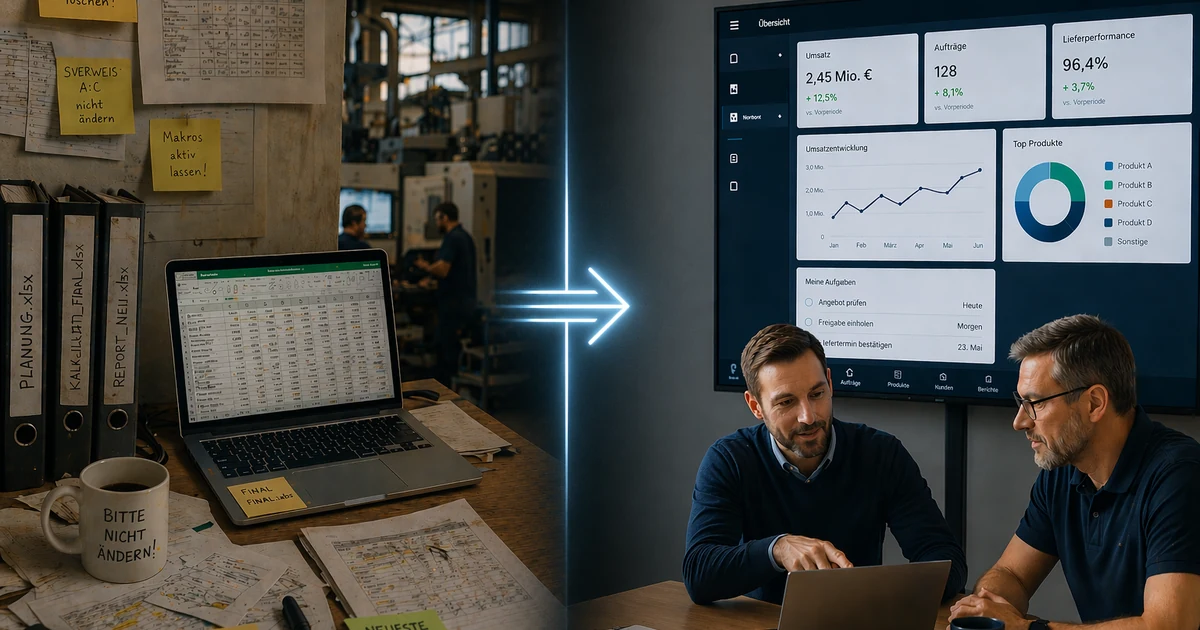
Every Mittelstand company we have worked with has a file like this. A shared .xlsx on a network drive that holds the real logic of the business: which customer gets which discount, which SKU ships from which warehouse, which technician owns which contract. The ERP has a version of the answer. The Excel file has the correct one. This post is about replacing it without breaking your business.
Excel is remarkably good software
Before we talk about killing it, give it credit. Excel starts in under two seconds. The data model and the UI are the same thing. There is no deployment pipeline between thinking of a change and shipping it. Non-technical users build genuinely complex logic and email the artifact to a colleague who is productive in thirty seconds.
It wins on latency, flexibility, portability, and — the one engineers underestimate — user ownership. When the warehouse lead opens his file, he is the author, not a "user" of somebody else's product. That feeling of agency is why Excel workflows survive two generations of ERP rollouts. Any replacement that ignores this will lose.
When Excel becomes a liability
The EuSpRIG community has spent twenty years documenting what happens when operational decisions run on spreadsheets at scale. Ray Panko's canonical number: human cell-entry error rates sit at 1–5%, and roughly 88% of audited operational spreadsheets contain at least one material error (Panko, 2016 (opens in new tab)). That is the base rate of human typing.
The consequences are catalogued in the EuSpRIG horror stories archive (opens in new tab):
- TransAlta, 2003. A cut-and-paste misalignment in a bidding sheet cost CAD $24 million — about 10% of annual profit (The Register, 2003 (opens in new tab)).
- Reinhart & Rogoff, 2010. A range selection that excluded five countries from an AVERAGE flipped a headline growth figure from −0.1% to +2.2%, after a decade of austerity policy had cited it (Bloomberg, 2013 (opens in new tab)).
- JPMorgan London Whale, 2012. A VaR model rebuilt in Excel divided by a sum instead of an average, halving stated risk. Final loss: $6.2 billion (JPMorgan Task Force Report, 2013 (opens in new tab)).
- Norway's Sovereign Wealth Fund, 2023. A wrong date in a benchmark workbook cost roughly $92 million.
The pattern is the same: Excel became a liability when multiple people edited one artifact, derived values were manually propagated, and the result was treated as system-of-record. For a Mittelstand ops team it rarely shows up as a nine-figure incident. It shows up as concurrency loss on the shared file, an audit trail you cannot reconstruct ("who changed this price on March 14?"), overtyped formulas that go unnoticed for six months, version drift (final-FINAL-v3-NEU.xlsx), unusable mobile access, and downstream integrations that break on any column rename.
Bitkom's 2025 survey of 603 companies found 53% report active difficulty managing digitalization and 82% see economic malaise as partly driven by hesitant digital adoption (Bitkom, 2025 (opens in new tab)). In our experience that is largely a polite way of saying "core workflows still run on a shared Excel file."
The migration pattern we use
The shape of an engagement that works. It is deliberately unspectacular — transformation theater is exactly what we are trying to avoid.
1. Observe for two weeks before designing anything
Sit with the people who actually touch the file. The goal is to answer three questions: what inputs arrive and from whom, which cells are edited versus just read, and what happens when something goes wrong. This is where you find the unmentioned sheets, the conditional format that flags a margin violation, and the cell that says "if E > 500, call Martin." Martin is load-bearing infrastructure. If you think you have understood the workflow after a one-hour interview, you have not.
2. Model the workflow, not the file
This is where most replacement projects fail. Teams take the Excel file as the spec and rebuild it table-for-table — you now have a worse Excel: same data model, minus flexibility, plus a login screen. What you actually want to model is the decision flow: triggers, state transitions, validity rules, what "completed" means. Derived columns (margin, status, priority) become computed views, not stored fields. The audit trail is first-class, not a hidden sheet called "Log." Shadow systems encode real business knowledge the formal systems never captured (Rentrop & Zimmermann, 2016 (opens in new tab)) — your job is to extract it, not port the artifact.
3. Build the thinnest slice that replaces one tab
Pick the single tab causing the most pain and replace exactly that. The thinner the slice, the less political surface area. The slice must (a) accept the same inputs, including informal ones, (b) produce the same outputs, ideally as a downloadable Excel export so no downstream consumer changes on day one, and (c) log who changed what when.
4. Dual-run for at least four weeks
Both systems live at once. The Excel file stays authoritative; the new system shadows it. A daily diff job flags discrepancies — each is either a bug in our system or undocumented behavior of the file. Both are valuable. Four weeks is the minimum because most operational workflows have monthly cycles (invoicing, reconciliation) that never appear in a two-week window.
5. Cut over tab-by-tab, not workbook-by-workbook
When the diff rate drops to near-zero for a tab, flip authority for that tab. Repeat until the workbook is empty. The retirement of the file should feel like deleting an unused cron job, not cutting a ribbon.
The two ways this fails
Failure 1: rebuilding Excel as a worse Excel. The team reproduces every column including the derived ones behind a login. Users get a slower, less flexible version of what they had, then open Excel again to do the actual work. The fix is discipline in step 2: if a column is margin = (price - cost) / price, it is a view, not a field.
Failure 2: shipping a process change and a tool change together. The team decides to also "clean up" the workflow on go-live. Users learn a new tool and a new process simultaneously, adoption collapses, the Excel file comes back. The fix: change one thing at a time. Replace the tool first, keeping the process — warts and all — exactly as it was. Improve the process six weeks later, with user input.
Data modeling notes
Normalize derived columns ruthlessly. Every column that is a function of other columns should be computed at read time. The moment a derived value is stored, it starts drifting from its inputs.
Make the audit trail first-class. Every row gets a full change history. GoBD and similar German tax rules assume this exists; in Excel it does not. Users notice the upgrade the first time someone asks "why did this change?" and you answer in ten seconds.
Expose the flexibility users actually use. Saved views, free-text notes, custom sorts, ad-hoc filters. These are not process violations — they are how work gets done. Without them, your replacement loses to Excel every time.
Keep the schema boring. Resist event-sourcing or CQRS for a ten-person team. Postgres tables, a handful of enums, a proper audit table, and a thin web UI will outlast three framework cycles.
The AI angle nobody wants to hear
Every Mittelstand company we talk to wants to deploy agentic AI inside their operations. The brochures make it sound like you bolt an LLM onto your existing data and go. That is not how it works. Industry post-mortems keep landing on the same conclusion: the primary reason autonomous agents fail in production is data hygiene (McKinsey, 2025 (opens in new tab)). Agents need stable schemas, clean identifiers, and a durable audit trail — the exact opposite of a 30-person shared workbook.
Any AI layer you deploy on top of spreadsheet state will inherit every misspelled customer name, every hand-edited row, every convention for encoding "paid." The agent will confidently hallucinate plausible decisions on inconsistent input. Replacing the Excel workflow is not separate from your AI strategy — it is the prerequisite.
What we are not saying
We are not saying Excel is bad. We still reach for it daily — for modeling, one-off analyses, prototyping logic before we code it. It is the best tool in the world for what it is. We are saying it is not a database, not an application, not a source of truth, and not a foundation for an AI workflow. When a spreadsheet becomes the system your business runs on, the question is whether you replace it deliberately — tab by tab, dual-run, user-owned — or whether you wait for your own version of the PHE incident.
The good news: done right, the replacement is not a moonshot. It is careful engineering against a workflow you already understand. The boring version works. The ambitious version is how you end up in a horror-stories archive.
Further reading
- EuSpRIG Horror Stories archive (opens in new tab) — the canonical catalogue of real-world spreadsheet failures.
- Panko, What We Don't Know About Spreadsheet Errors Today (arXiv, 2016) (opens in new tab) — the primary source for cell error-rate statistics.
- The Register, Excel spreadsheet blunder blamed after England under-reports 16,000 COVID-19 cases (2020) (opens in new tab) — detailed reporting on the PHE incident.
- Bloomberg, FAQ: Reinhart, Rogoff, and the Excel Error That Changed History (2013) (opens in new tab) — a useful write-up of the academic incident.
- JPMorgan Task Force Report on CIO losses (2013) (opens in new tab) — JPMorgan's own account of the London Whale and the VaR spreadsheet.
- Bitkom, Digitalisierung der Wirtschaft 2025 (opens in new tab) — the current state of German-Mittelstand digital adoption.
- Rentrop & Zimmermann, The Relation of Shadow Systems and ERP Systems (MDPI, 2016) (opens in new tab) — on why shadow spreadsheets persist and what to do about them.
A random post, once a week.
Enter your email and we'll send you a handpicked article from our archive — no sales, no spam.
Roughly one email per week. Unsubscribe with one click.
Related posts

Why Mittelstand AI Projects Fail — and the Pattern That Actually Works
Mittelstand AI spend is shrinking while failure rates climb. The patterns are diagnosable — and the narrow-vertical approach that actually ships.

Comprehension Debt Is the Real AI Tax
AI-assisted engineers score 17% lower on comprehension of their own code. The codebase looks fine. The humans who shipped it can no longer reason about it under pressure.
GDPR by Design: Engineering Patterns for SMB Software (Not Legal Advice)
Concrete engineering patterns for residency, consent, deletion, audit logs, and vendor review — drawn from shipping products for German Mittelstand clients.